
If your Android phone turns off suddenly without warning, you’re not alone. This is one of the most frustrating Android problems because it can happen during calls, gaming, charging, or even when the phone is idle. In many cases, the issue is not hardware-related and can be fixed with the right troubleshooting steps.
In this detailed guide, we’ll explain why an Android phone turns off suddenly, how to fix it step by step, and how to prevent it from happening again.
Why Android Phone Turns Off Suddenly?
When an Android phone turns off suddenly, it’s usually caused by power instability, software conflicts, or battery-related issues. Android devices rely heavily on proper battery calibration and system optimization, and even small issues can cause sudden shutdowns.
Below are the most common reasons your Android phone turns off suddenly.
1. Battery Calibration Issues
One of the biggest reasons an Android phone turns off suddenly is incorrect battery calibration. Your phone may show 20–30% battery, but the system thinks it’s empty.
Signs of Battery Calibration Problems
- Phone shuts down above 20%
- Battery percentage drops quickly
- Phone turns off during charging or heavy usage
👉 This issue is closely related to battery behavior problems explained in Android Phone Battery Draining Fast, where inaccurate battery readings cause sudden power loss.
2. Overheating Causes Sudden Shutdowns

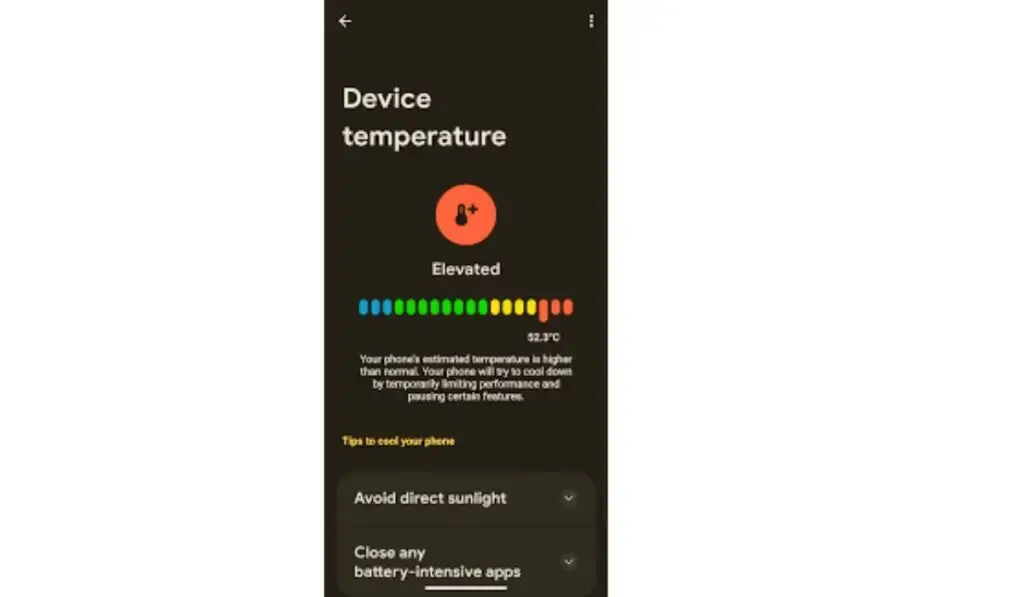
Android devices are designed to shut down automatically if temperatures rise too high. If your Android phone turns off suddenly, overheating might be the reason.
Common Causes of Overheating
- Heavy gaming or video rendering
- Poor ventilation
- Background apps running continuously
- Faulty chargers
If your phone feels hot before shutting down, overheating is likely the trigger. You can fix this using the steps explained in Android phone overheating fix, which covers cooling and usage optimization.
3. Software Bugs or System Glitches
Sometimes an Android phone turns off suddenly after:
- A system update
- Installing a faulty app
- Corrupted system cache
Android updates may contain bugs, especially on older devices. These bugs can crash system processes, forcing the phone to power off.
According to the Android power management system, unstable background processes can force sudden shutdowns.
4. Faulty or Aging Battery
If your phone is more than 2–3 years old, battery degradation is very common. A weak battery cannot supply stable power, causing the Android phone to turn off suddenly, even at high battery levels.
Signs of a Dying Battery
- Phone shuts down under load
- The battery drains unevenly
- Phone restarts randomly
According to Android battery guidelines by Google, lithium-ion batteries degrade naturally over time
5. Charging-Related Power Fluctuations
Sometimes an Android phone turns off suddenly while charging. This usually happens due to:
- Low-quality charging cable
- Unstable power source
- Loose charging port
Charging issues can interrupt power delivery, forcing the phone to shut down to protect internal components.
6. Storage-Related System Failures
Low internal storage can crash background processes. When the system can’t write temporary files, the Android phone turns off suddenly.
Hidden cache files and system junk often consume space silently. This issue is well explained in Phone Storage Full But Nothing to Delete, which shows how system storage affects phone stability.
7. App Conflicts and Background Crashes

Certain apps can conflict with system processes. If your Android phone turns off suddenly after opening a specific app, that app might be the cause.
Apps that frequently cause shutdowns include:
- Battery saver apps
- System booster apps
- Poorly optimized games
If apps fail to load before shutdown, you can also review Apps Not Opening on Android Phone for deeper app-level fixes.
8. Network-Related System Instability (Rare but Possible)
In rare cases, unstable network drivers can trigger system crashes. If your Android phone turns off suddenly while switching between WiFi and mobile data, network instability may be involved.
You can troubleshoot this by checking Phone Connected to WiFi but No Internet, which explains network-related Android system behavior.
How to Fix an Android Phone Turns Off Suddenly (Step-by-Step)
Step 1: Calibrate the Battery
- Use the phone until it shuts down completely
- Charge to 100% without interruption
- Keep charging for 30 minutes
- Restart phone
This helps fix incorrect battery readings.
Google recommends following official Android battery optimization tips to avoid unexpected shutdowns.
Step 2: Clear System Cache (Safe Method)
- Power off the phone
- Press Volume Up + Power
- Select Wipe Cache Partition
- Restart device
Clearing the cache does not delete personal data.
Step 3: Check for Problematic Apps
- Uninstall recently installed apps
- Remove battery optimizer apps
- Boot the phone in Safe Mode to test stability
If the Android phone turns off suddenly only in normal mode, an app is the cause.
Step 4: Reduce Overheating
- Remove the phone case temporarily
- Avoid charging during gaming
- Close background apps
- Use the original charger
Step 5: Update or Roll Back System Software
- Go to Settings → Software Update
- Install stable updates
- Avoid beta updates if the phone is unstable
Android’s official update documentation confirms that unstable firmware can cause unexpected shutdowns
Step 6: Free Up Internal Storage
- Clear cache-heavy apps
- Delete unused downloads
- Remove duplicate media
Low storage can cause system crashes, leading to sudden shutdowns.
Step 7: Replace the Battery (If Needed)
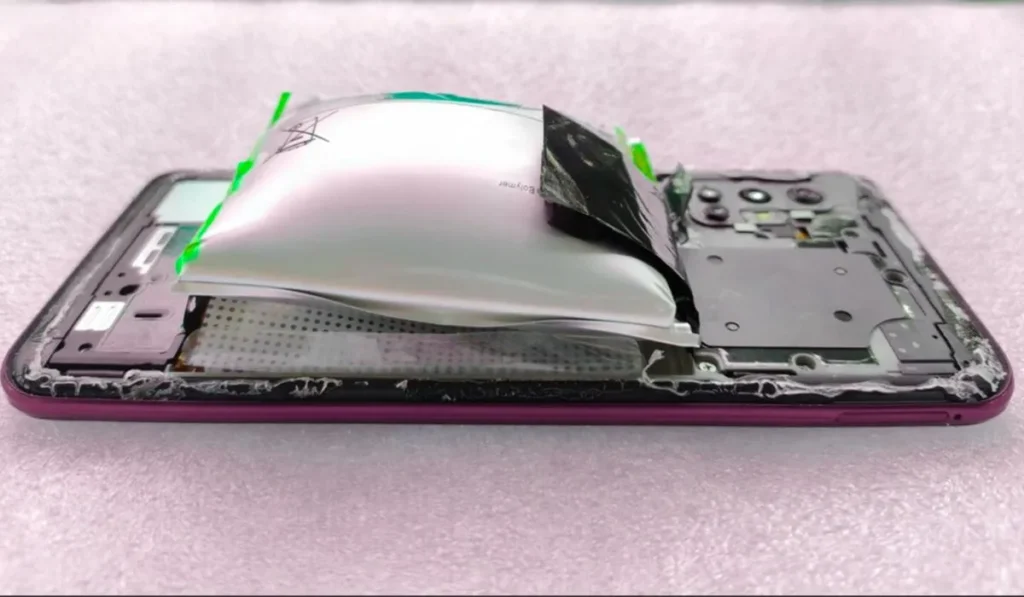
If your Android phone turns off suddenly even after all fixes, battery replacement is the permanent solution.
Battery health tools like AccuBattery can help diagnose battery condition
How to Prevent an Android Phone from Turning Off Suddenly
To prevent your Android phone from turning off suddenly in the future:
- Avoid overcharging overnight
- Keep storage above 20%
- Don’t install aggressive battery saver apps
- Use original chargers
- Avoid extreme temperatures
When Should You Visit a Repair Center?
Visit a professional technician if:
- Phone shuts down even at 80–90%
- The phone doesn’t turn on after shutdown
- Battery swelling is visible
- Phone overheats without usage
Final Thoughts
If your Android phone turns off suddenly, the problem is usually fixable without a factory reset. Battery calibration, overheating control, storage cleanup, and app optimization solve most cases.
Only consider battery replacement or professional repair if all software fixes fail.
FAQ’s:
❓ Why does my Android phone turn off suddenly, even with battery left?
An Android phone turns off suddenly due to battery calibration issues, overheating, degraded battery health, or system glitches that misread power levels.
❓ Can overheating cause an Android phone to shut down automatically?
Yes. When an Android phone overheats, the system may turn off suddenly to protect internal components from permanent damage.
❓ Will clearing the cache stop my Android phone from turning off suddenly?
In many cases, yes. Clearing system cache removes corrupted temporary files that can crash processes and cause sudden shutdowns.
❓ Is battery replacement necessary if the Android phone turns off suddenly?
Battery replacement is only necessary if the Android phone turns off suddenly, even after calibration, cache clearing, and software fixes.
❓ Does low storage cause an Android phone to shut down?
Yes. Low internal storage can crash system services, which may cause an Android phone to turn off suddenly.
❓ Can apps cause an Android phone to turn off suddenly?
Poorly optimized apps, battery saver apps, and system booster apps can conflict with Android services and trigger sudden shutdowns.