
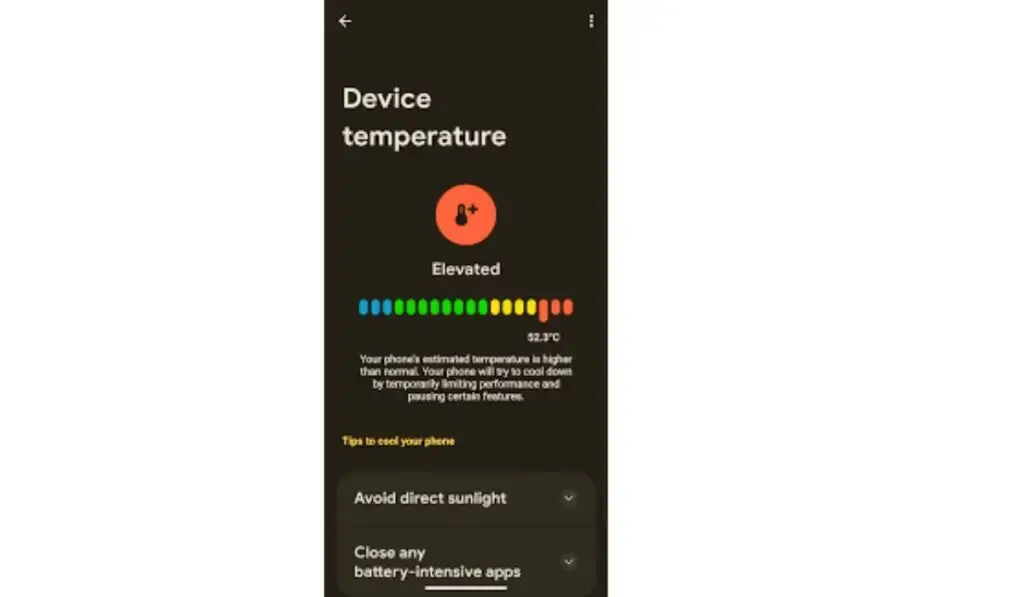
Android phone overheating is a common problem that many users face daily. If your device feels hot while charging, gaming, browsing, or even during normal use, it’s a warning sign that should not be ignored. Overheating can damage internal components, drain battery life faster, and slow down performance.
In this complete Android phone overheating fix guide, you’ll learn why your phone overheats, how to cool it down safely, and how to prevent overheating permanently — without damaging your phone or losing data.
Why Android Phones Overheat (Root Causes)
Before applying any Android phone overheating fix, it’s important to understand the actual reasons behind the problem.
1. Heavy App Usage
Apps like games, video editors, and social media platforms consume high CPU and GPU power, which generates heat.
👉 This issue is closely related to Apps Not Opening on Android Phone, where overloaded system resources cause apps to crash or freeze.
2. Poor Network or Internet Issues
Weak signals force your phone to work harder to stay connected, leading to overheating.
If your phone frequently switches networks, read:
Network stress is a silent overheating trigger.
3. Phone Storage Full
Low storage space forces the system to constantly rewrite temporary files, increasing processor load and heat.
👉 Related guide: Phone Storage Full But Nothing to Delete
This is one of the most ignored causes of overheating.
4. Charging Issues
Using cheap chargers or charging your phone while using heavy apps causes battery temperature to rise dangerously.
5. Background Apps & System Bugs

Apps running in the background consume power continuously, causing the device to heat up even when idle.
Signs Your Android Phone Is Overheating
Knowing the signs helps you apply an Android phone overheating fix early.
- Phone feels hot near the camera or battery
- The battery drains faster than normal
- Apps lag or crash
- Screen dims automatically
- Phone shows temperature warning
- Charging slows down
If you notice these signs regularly, your phone needs immediate attention.
Android Phone Overheating Fix (Step-by-Step)
Let’s move to practical, safe, and effective solutions.
1. Restart Your Phone (Simple but Powerful)
Restarting clears background processes and resets temperature spikes.
✔ Do this at least once daily if overheating is frequent.
2. Stop Heavy Apps Immediately
Close apps like:
- Games
- Video editors
- Navigation apps
- Streaming apps
If apps don’t open properly afterward, check Apps Not Opening on Android Phone.
3. Remove Phone Case Temporarily
Thick or rubber cases trap heat.
✔ Remove the case while charging or gaming.
4. Avoid Using the Phone While Charging
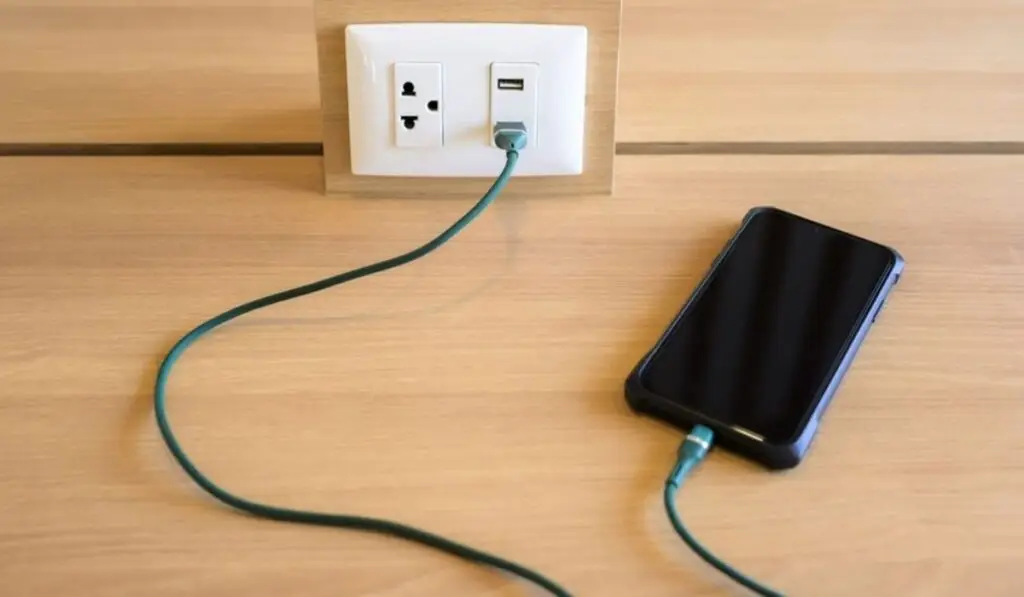
Using your phone while charging increases battery heat rapidly.
This is one of the most effective Android phone overheating fix tips.
5. Clear App Cache (Very Important)
Cached data builds up heat-producing background activity.
Steps:
- Settings → Apps
- Select app → Storage
- Clear cache
⚠ Do not clear app data unless necessary.
6. Reduce Screen Brightness
High brightness increases heat and battery consumption.
✔ Use adaptive brightness or lower it manually.
7. Turn Off Unused Features
Disable:
- Bluetooth
- GPS
- Hotspot
- NFC
These features constantly communicate with hardware sensors.
8. Check for Software Updates
Manufacturers release updates to fix overheating bugs.
Go to:
- Settings → Software Update
According to Android Help Center:
Updates often include thermal optimizations.
9. Reset Network Settings (If Heating Happens During Internet Use)
If overheating occurs while browsing or streaming, network instability may be the cause.
This connects directly to:
Reset network settings:
- Settings → System → Reset → Reset network settings
10. Free Up Storage Space
Low storage increases system workload.
✔ Delete:
- Large videos
- Unused apps
- Old downloads
✔ Use a file manager or storage cleaner.
Read the full guide:
👉 Phone Storage Full But Nothing to Delete
Advanced Android Phone Overheating Fix Methods
If basic fixes don’t work, use these advanced steps.
11. Identify Battery Health Issues
Old batteries generate excessive heat.
Signs:
- Rapid heating
- Swollen battery
- Sudden shutdowns
Samsung confirms battery degradation causes heating:
https://www.samsung.com/support/
12. Scan for Malware
Malicious apps run hidden background tasks.
✔ Use Play Protect:
- Google Play Store → Profile → Play Protect
13. Factory Reset (Last Option)
Only use this if overheating persists after all fixes.
⚠ Backup data first
⚠ Do NOT reset unnecessarily
Android Phone Overheating Fix for Different Usage Scenarios
Not every Android phone overheats for the same reason. In many cases, the cause depends on how you use your device. Understanding usage-based overheating helps you apply the right Android phone overheating fix instead of random solutions that don’t work.
Below are the most common real-world scenarios and how to fix overheating in each case.
Android Phone Overheating While Charging
One of the most reported problems is the Android phone overheating while charging. This usually happens due to poor charging habits rather than hardware failure.
Main reasons include:
- Using cheap or incompatible chargers
- Charging the phone on a bed or pillow
- Using heavy apps during charging
- Charging in a hot environment
Android phone overheating fix while charging:
- Always use the original charger or a certified replacement
- Place the phone on a flat, hard surface
- Avoid gaming, streaming, or video calls while charging
- Remove the phone case temporarily
If overheating continues even when idle, battery health may be declining.
Android Phone Overheating During Gaming

Gaming pushes your phone’s CPU and GPU to their limits. Some heat is normal, but excessive heat means your phone is under stress.
Why does this happen?
- High graphics settings
- Background apps consuming RAM
- Poor internet connectivity
- Low storage space
Effective Android phone overheating fix for gaming:
- Lower in-game graphics and frame rate
- Close all background apps
- Ensure stable WiFi or mobile data
- Keep at least 20% free storage
If apps start freezing or crashing during games, it’s closely related to the issues explained in Apps Not Opening on Android Phone.
Android Phone Overheating During Internet Use
Many users notice overheating while browsing, streaming, or using social media. This usually points to network-related stress.
When your phone struggles to maintain a stable connection, it uses more power, causing heat buildup.
Android phone overheating fix for internet usage:
- Switch between WiFi and mobile data to test stability
- Reset network settings
- Avoid weak signal areas
- Turn off VPNs temporarily
This issue often overlaps with:
Fixing network problems can significantly reduce overheating.
Android Phone Overheating When Idle
If your phone overheats even when not in use, something is running silently in the background.
Possible causes:
- Malware or suspicious apps
- System bugs
- Continuous background syncing
- Corrupted app cache
Android phone overheating fix when idle:
- Check battery usage in settings
- Uninstall unused or suspicious apps
- Clear app cache
- Restart the phone daily
Idle overheating is a serious sign and should not be ignored.
Android Phone Overheating Due to Storage Issues
When internal storage is almost full, Android struggles to manage temporary system files. This increases CPU usage and heat.
Symptoms include:
- Phone slowing down
- Apps opening late
- Random heating
- System lag
Android phone overheating fix related to storage:
- Delete unused apps and files
- Clear app cache
- Move data to the cloud or SD card
For a detailed fix, follow Phone Storage Full But Nothing to Delete, as storage overload is one of the most underestimated causes of overheating.
Android Phone Overheating in Hot Weather
Environmental temperature plays a big role. Using your phone in direct sunlight or hot rooms increases internal temperature rapidly.
Android phone overheating fix in hot environments:
- Avoid outdoor usage in direct sunlight
- Keep the phone away from the dashboard and windows
- Allow the phone to cool before charging
- Turn on airplane mode temporarily
Why Ignoring Overheating Is Dangerous

Ignoring overheating problems can:
- Permanently damage the battery
- Reduce phone lifespan
- Cause sudden shutdowns
- Lead to data loss
Applying the right Android phone overheating fix early prevents costly repairs and improves long-term performance.
What NOT to Do When Phone Overheats
❌ Put phone in fridge
❌ Use ice packs
❌ Charge immediately after overheating
❌ Use third-party cooling apps
These actions can cause permanent damage.
How to Prevent Android Phone Overheating Permanently
Prevention is better than fixing repeatedly.
Best Practices:
- Keep at least 20% free storage
- Avoid gaming while charging
- Use original chargers
- Close unused apps
- Update software regularly
- Avoid direct sunlight
Apple also recommends avoiding heat exposure:
https://support.apple.com/en-us/HT210205
Frequently Asked Questions (FAQ)
Why does my Android phone overheat suddenly?
Sudden overheating usually occurs due to heavy apps, weak network signals, or background processes.
Can overheating damage my phone?
Yes. Long-term overheating damages battery health and internal components.
Is overheating normal during gaming?
Some heat is normal, but excessive heat means the phone is under stress.
Does poor internet cause overheating?
Yes. Poor signals force the phone to work harder, causing heat buildup.
Final Thoughts
This Android phone overheating fix guide covers every real cause and solution without risky tricks or paid tools. Most overheating problems are connected to storage issues, network instability, or overloaded apps — the same problems you already addressed in your other guides.